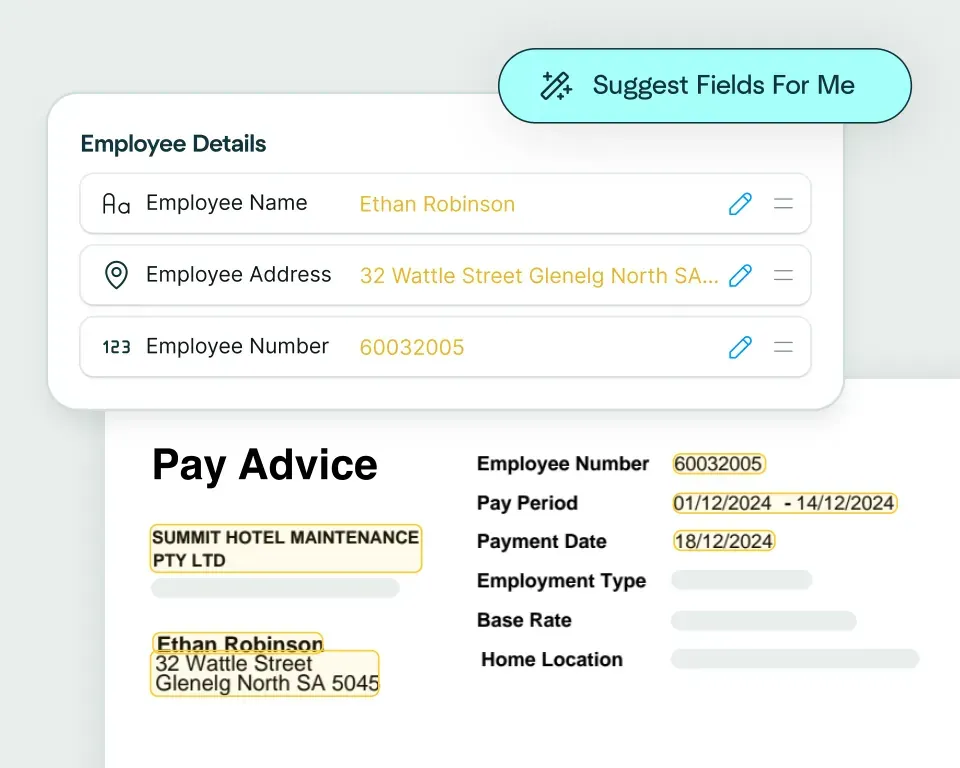
Create models in seconds
Upload an invoice and watch as Affinda instantly predicts the data fields you want to extract, helping you automate invoice data extraction in just a few clicks.
Email, drag and drop or connect via API.
Affinda's AI reads your invoices with impressive contextual understanding. It splits and classifies documents, extracts and validates data, then transforms the output to match your business needs.
No manual data entry required. Affinda integrates seamlessly into your existing tech stack.
Upload an invoice and watch as Affinda instantly predicts the data fields you want to extract, helping you automate invoice data extraction in just a few clicks.
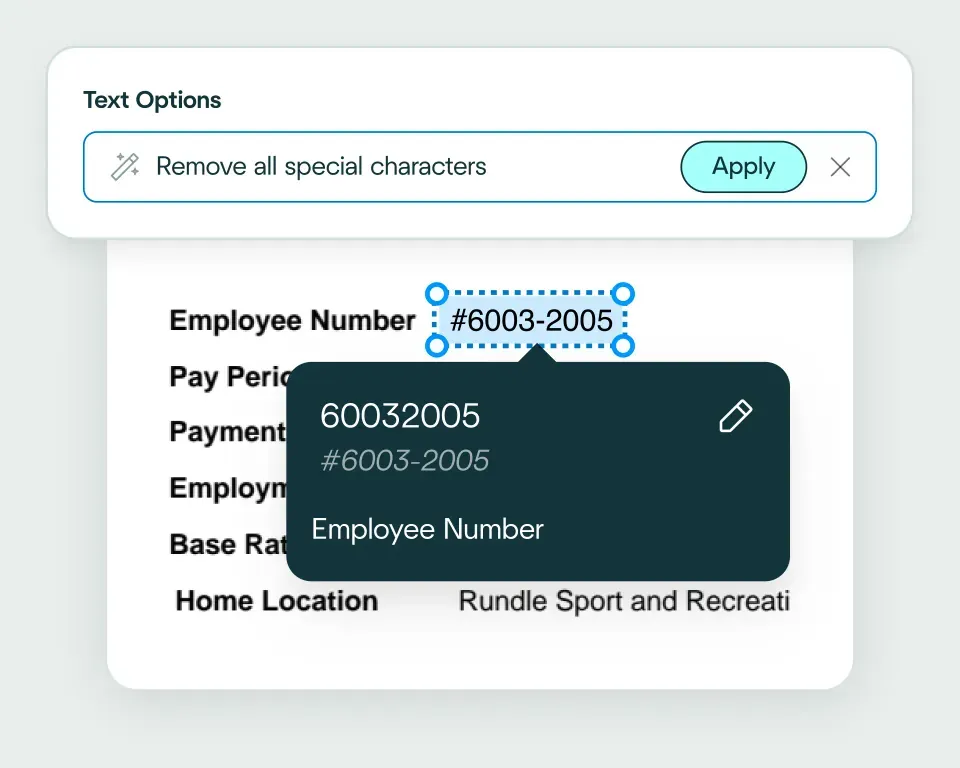
Affinda automatically converts extracted invoice data into the format your business system recognizes, ensuring it�s ready for downstream processing. Need something custom? Use natural language to describe how you want the data to appear.
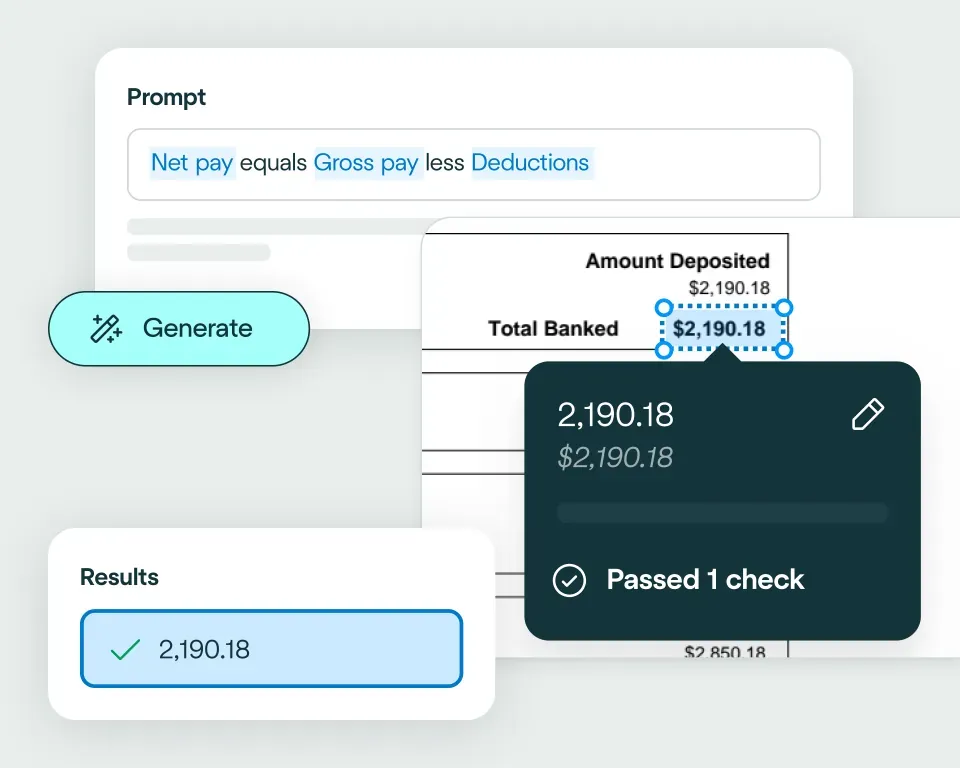
Use natural language to write validation rules and apply your business logic to the data. This ensures the output meets your organization�s requirements and enables straight-through invoice processing.



reduction in manual work
more invoices processed with no added staff
Enhanced auditability and tracking of invoice approvals


proof of delivery documents processed annually
of documents straight-through processed in the first weeks
Automatic validation of documents against ERP system


High accuracy parsing across multiple languages
Improved customer experience thanks to better structured data
Stronger compliance with international data security and software standards


documents processed annually
different document types
time saved in reviewing invoices


reduction in manual data input
reduction in compliance data errors
compliance documents processed annually

Invoice processing is the workflow businesses use to receive, capture, validate and approve data from supplier invoices. Our AI invoice processing software automates this entire process to reduce manual effort, errors and processing times. It ensures that payments are accurate, authorized and recorded correctly in accounting systems.
Invoice data extraction is the process of reading an invoice and pulling off the salient data points (such as supplier names, invoice numbers, totals and line items). Our platform uses advanced AI to automate invoice data extraction, turning unstructured documents into structured data ready for your ERP and downstream workflows.
Invoice extraction is the automatic capture of key data from invoices using AI. Our invoice extraction software combines reading order models, OCR, LLM, RAG and more to convert this information with high accuracy and faster processing times.
An invoice parser is a software tool that automatically reads and extracts invoice data. It converts invoices into structured, machine-readable formats. Our AI invoice parser learns from every interaction, handling variations in layout, language and format with ease before transforming the output into exactly the format your systems need.
Invoice line extraction captures the data within tables on your document, turning it into a usable format whilst preserving the interdependencies/connections between each row. Our complex tables capability interprets your tabled data with impressive contextual understanding, handling anything from simple grids to complex nested tables.
Affinda's AI invoice processing platform can capture data from any field on an invoice. Standard data fields include:
- Vendor / Supplier Name: Name of the business or individual issuing the invoice
- Vendor Address: Full billing address of the supplier
- Customer / Bill-To Name and Address: The recipient of the invoice
- Invoice Number: Unique identifier assigned by the supplier
- Invoice Date: Date the invoice was issued
- Due Date / Payment Terms: When payment is expected (e.g. Net 30)
- Purchase Order (PO) Number: Reference to the related purchase order
- Currency: Currency in which amounts are denominated
- Item Description / SKU: Name or code for each product or service
- Quantity: Number of units supplied
- Unit Price: Price per individual unit
- Line Total: Quantity × unit price for each line
- Tax Code / Tax Rate: Applicable tax category or percentage per line
- Subtotal: Sum of all line items before tax
- Tax Amount / GST / VAT: Total tax applied
- Discount Amount: Any deductions applied
- Freight / Shipping Charges: Delivery costs if listed separately
- Total Amount Due: Final payable amount including all charges
- Bank Account / BSB / IBAN: Supplier's payment details
- SWIFT / BIC Code: International bank identifier
- Payment Reference: Reference to include with payment
- Remittance Address: Where payment or remittance advice should be sent
- Notes / Special Instructions: Any free-text notes on the invoice
- Page Number / Document ID: For multi-page invoice identification
Need custom fields or a specific template? Simply define them in the UI or describe them in natural language and Affinda will extract and convert them automatically.
Our AI agents can process any file type. Supported file types include PDF, JPG/JPEG, PNG, TIFF, DOC/DOCX (Word), XLSX (Excel), HTML and TXT/CSV.
Affinda's AI agents read, extract and validate invoice data. Our platform is intuitive to set up and easily integrates into your systems. Simply:
The result? Faster, more accurate invoice processing with minimal manual input.
Yes. Our AI invoice processing platform combines OCR with retrieval augmented generation (RAG), LLMs, agentic workflows, proprietary reading order algorithms and more, to automatically detect and process data from scanned or photographed invoices (PDF, JPG, PNG). Even low-quality images are automatically enhanced for reliable data capture and processing.
Our AI invoice processing platform can automatically detect and process invoices in 50+ languages, including multilingual invoices containing more than one language. Supported languages include: Afrikaans, Albanian, Amharic, Arabic (Standard, Egyptian, Sudanese, Algerian, Moroccan, Levantine), Bahasa Indonesian, Bengali, Bhojpuri, Bulgarian, Burmese, Chinese (Mandarin [PRC/Taiwan], Cantonese, Wu, Min Nan, Jinyu, Xiang, Hakka), Croatian, Czech, Danish, Dutch, English, Estonian, Finnish, French, German, Greek, Gujarati, Hebrew, Hindi, Hungarian, Italian, Japanese, Javanese, Kannada, Korean, Latvian, Lingala, Lithuanian, Macedonian, Malayalam, Marathi, Nepali, Norwegian, Odia, Persian (Farsi), Polish, Portuguese, Punjabi (Western and Eastern), Romanian, Russian, Slovak, Slovenian, Somali, Spanish, Swahili, Tagalog, Tamil, Telugu, Thai, Turkish, Ukrainian, Urdu, Vietnamese, Yoruba.
Absolutely. Our platform integrates with 400+ downstream systems, including major ERP and accounting platforms. You can create no-code integrations using our AI integrations agent, or build and host your own using our APIs, whatever works best for your workflow.
AI invoice processing helps automate and optimize financial workflows across business units such as:
An invoice optical character recognition (OCR) data extractor scans and accurately captures information from invoices, regardless of format or language. Upload invoice documents in PDF, JPG or PNG formats. The OCR technology first converts the documents into a text layer, ensuring all text (even from scans, photos, or handwriting) is captured. Affinda's AI models then identify and extract key fields such as supplier details, invoice numbers, dates, line items, totals and tax amounts, transforming them into structured, usable data.
This automation eliminates manual data entry, reduces errors and saves time. Once the invoice data is captured and structured, our AI invoice processing pipeline can apply machine validation and post-processing to enable seamless integration with ERP, accounting or finance systems.
Businesses in many industries rely on Affinda's AI for their accounts payable, financial reporting and expense management processes, streamlining workflows and improving overall efficiency.