Automate document processing into Sage X3


Get data from your documents into Sage X3

Supplier invoices
Extract supplier details, invoice numbers, line items and totals from invoices, then automatically create validated AP invoices in Sage X3 - with built-in duplicate checking.
Purchase orders and invoices
Match invoice data against open purchase orders in Sage X3 automatically - Affinda extracts PO numbers, line items and pricing, then flags any mismatches for review before payment.
Sales orders
Extract customer details, order numbers and line items from sales orders and customer POs, then automatically create sales orders in Sage X3 to accelerate order processing and improve customer service.
Quality certificates
Extract batch numbers, test results and expiry dates from quality certificates and compliance documents, then link them directly to inventory records in Sage X3 for complete traceability and faster compliance reporting.
How to automate document processing into Sage X3
Automatically send your documents to Affinda
AI agents extract and validate key data fields
See your data appear in Sage X3
Extract any information from any document, fast
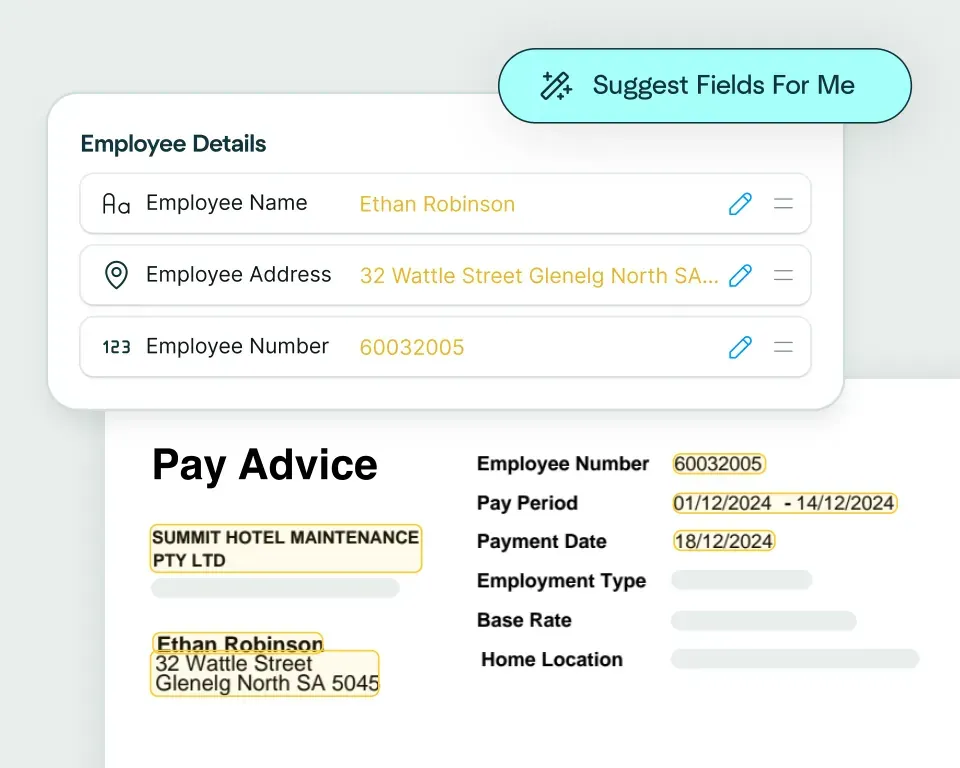
Create models in seconds
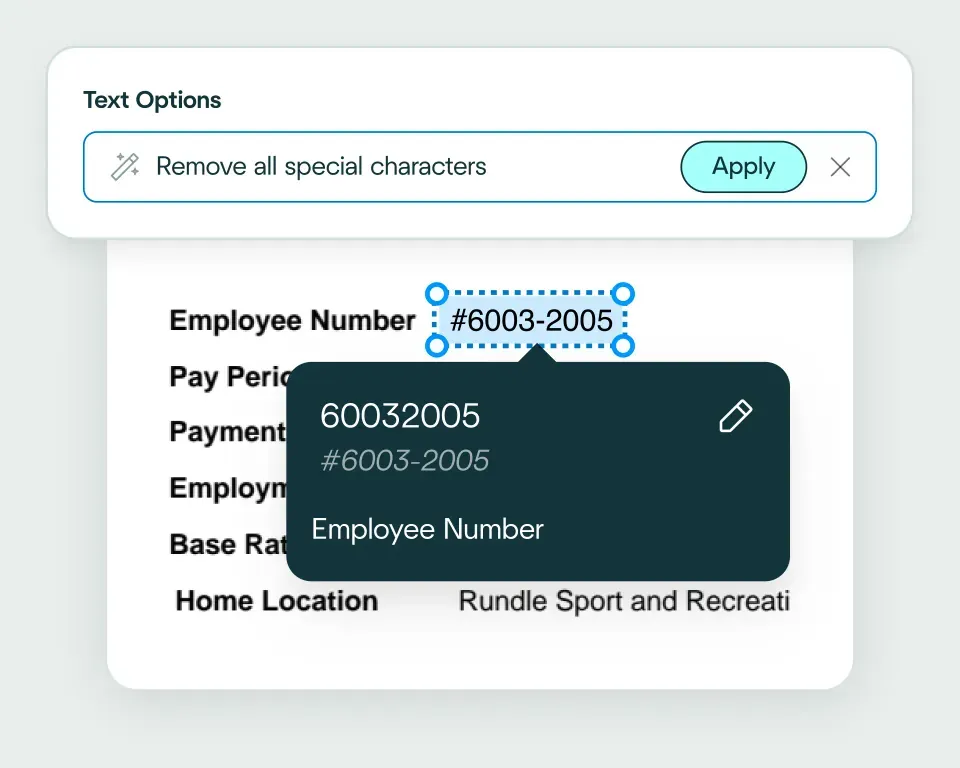
Validate and transform data
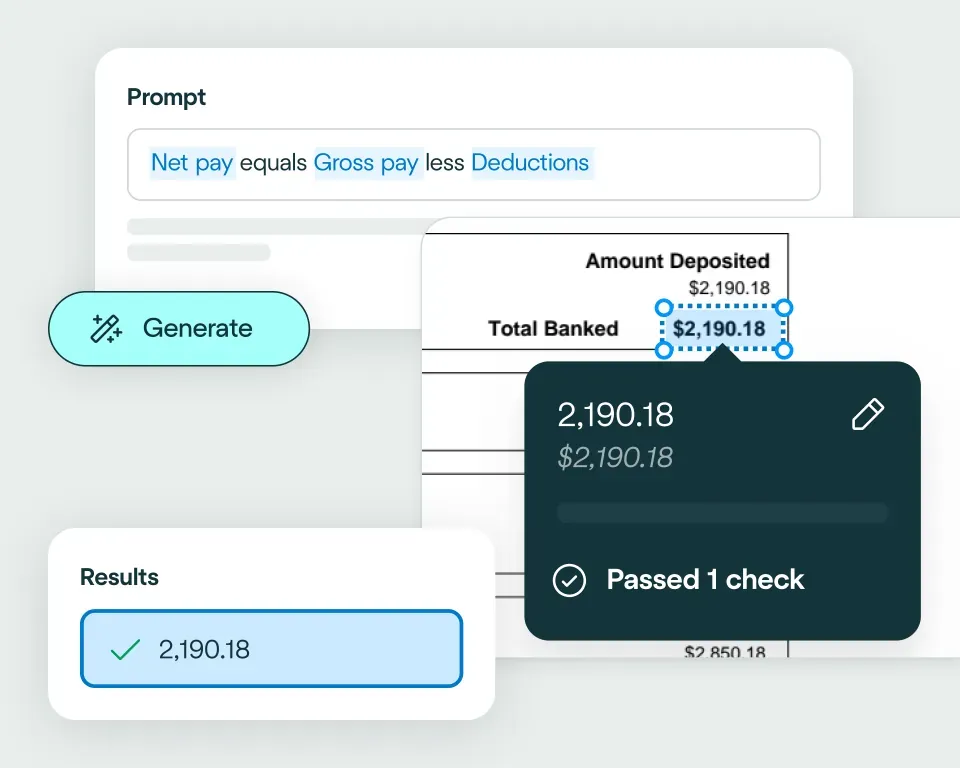
Apply your business logic
Pathway 1: Use the Agent
Pathway 2: Write your own code
No need to talk to sales. Get started now
Sign up for free
Set up your integration
Start processing


reduction in manual work
more invoices processed with no added staff
Enhanced auditability and tracking of invoice approvals


proof of delivery documents processed annually
of documents straight-through processed in the first weeks
Automatic validation of documents against ERP system


High accuracy parsing across multiple languages
Improved customer experience thanks to better structured data
Stronger compliance with international data security and software standards


documents processed annually
different document types
time saved in reviewing invoices


reduction in manual data input
reduction in compliance data errors
compliance documents processed annually
Combine the best of artificial and human intelligence

Frequently asked questions
Does Affinda integrate with Sage X3?
Yes. Affinda integrates directly with Sage X3 to automate document processing across your manufacturing and distribution workflows. It extracts and validates data from invoices, purchase orders, sales orders and quality certificates, then syncs everything straight into Sage X3.This means faster processing, fewer errors and complete visibility across your operations - all through a single, connected workflow that works alongside your existing setup.
How does the Affinda-Sage X3 integration work?
Affinda's AI agents process documents from any source - email, direct upload or API - and automatically extract structured data like supplier details, invoice numbers, PO references, line items and totals from invoices, purchase orders and sales orders.
Once extracted and validated, this data flows directly into Sage X3 - creating AP invoices with duplicate checking, matching invoice line items against open purchase orders, generating sales orders or linking quality certificate data to inventory records for full traceability.
You can configure custom workflows to match your business rules, like auto-approving invoices from trusted suppliers, flagging PO mismatches for review or routing exceptions based on amount thresholds.
What types of documents can Affinda process and send to Sage X3?
Affinda processes any document type commonly used in manufacturing and distribution workflows, including:
- Supplier invoices and receipts
- Purchase orders and sales orders
- Shipping documents and packing slips
- Quality certificates and certificates of analysis
- Compliance documents and batch records
It handles both digital files and scanned documents with equal ease, using advanced OCR and contextual AI to achieve over 99% accuracy - regardless of format, layout or language.
Do I need to manually upload files to Sage X3?
No. Affinda fully automates document ingestion through our APIs. You have three ways to get your documents to Affinda:
- Upload documents directly into your Affinda workspace
- Forward documents via email manually or set up automatic email forwarding
- Integrate your document source through API or cloud storage platforms
Once received, Affinda automatically extracts and validates your data, then sends it directly into Sage X3 - creating invoices, sales orders or purchase order matches without any manual intervention.
Can I define my own validation and business rules?
Yes. Affinda lets you define custom validation and business logic using natural language - no coding required.
You can create rules to:
- Block duplicate invoices before they reach Sage X3
- Verify line item quantities match purchase order limits
- Route high-value invoices for manual approval
- Validate quality certificate data against batch specifications
This ensures every piece of data entering Sage X3 meets your standards and keeps your workflows compliant and audit-ready.
Can Affinda handle bulk invoice uploads for Sage X3?
Yes. Affinda's platform is built to handle volume. Whether you're processing 20 invoices a month or 20,000 a week, Affinda supports bulk uploads and automated processing at scale.
This makes it ideal for manufacturing and distribution teams managing high volumes of supplier documents, as well as finance departments looking to eliminate manual data entry and accelerate accounts payable workflows in Sage X3.
How fast can I get started with the Sage X3 integration?
You can be up and running in under an hour. Affinda's Sage X3 integration lets you:
- Connect securely via Sage X3 APIs
- Map your document fields to Sage X3 entities (like AP invoices, purchase orders or sales orders)
- Start automating document processing immediately
For enterprise teams, Affinda also provides API access and dedicated support for deeper customization and workflow integration.
Is my financial data secure when using Affinda with Sage X3?
Absolutely. Affinda follows security standards including ISO 27001:2022, SOC 2 and GDPR for security and compliance. Data is encrypted in transit and at rest, with strict role-based access controls and full audit logging. You can also select region-specific data storage to meet your organization's compliance and data residency requirements.
What are the main benefits of integrating Affinda with Sage X3?
By integrating Affinda with Sage X3, you can:
- Remove manual data entry and reduce costly errors across AP and order processing
- Accelerate invoice approvals and order fulfillment with automated workflows
- Prevent overpayments through intelligent purchase order matching
- Ensure compliance and traceability with automated quality certificate linking
- Scale document processing without adding headcount
- Gain real-time visibility into document status and data accuracy